
A Better Way to Scan Barcodes (Without the Baggage)
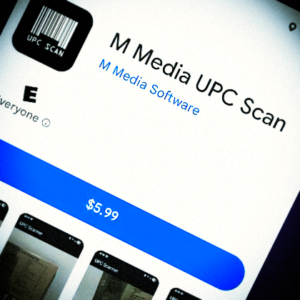
If you’ve ever tried to scan barcodes into a spreadsheet, you already know how frustrating it can be, let alone how ruthless other software titles are. Most barcode scanner apps promise simplicity, then immediately bury you under ads, forced sign-ups, cloud accounts, subscriptions, and “premium” features that lock your own data behind a paywall.
All you wanted was a list of barcodes.
What you got was an advertising ecosystem.
That exact frustration is why M Media UPC Scanner exists.
This app was built for people who don’t want a shopping assistant, a data broker, or a cloud service. It was built for people who just need to scan UPC codes, export them cleanly, and move on with their work.
No accounts.
No subscriptions.
No tracking.
Just scan, export, and move on.
Point. Beep. Done.
Built for Real Work, Not App Stores
M Media UPC Scanner is a simple, purpose-built Android app that lets you scan UPC barcodes quickly and export them directly to a clean CSV file. That CSV is immediately usable in Excel, Google Sheets, inventory systems, or e-commerce workflows.
There’s no onboarding flow. No login screen. No “free trial” countdown clock hovering over your data. You open the app, start scanning, and your barcodes are captured instantly and accurately.
When you’re finished, you export the list. That’s it.
The app stays out of your way — exactly as it should.
What UPC Scanner Actually Is
UPC Scanner is a fast, private, offline-first barcode scanning app designed for inventory, cataloging, and data capture. It records barcode data directly to your device without ads, analytics SDKs, or internet access.
Your data never leaves your phone unless you choose to export it.
This makes UPC Scanner especially useful in environments where connectivity is unreliable, restricted, or simply undesirable. Warehouses, storage rooms, back offices, basements, thrift stores, record shops — if you can point a camera at a barcode, you can capture it.
The focus is reliability, speed, and ownership of your data. Nothing more. Nothing less.
Designed Around Clean Data
At its core, UPC Scanner exists to produce clean, exportable barcode lists. Each scan is captured instantly and added to a running list you control. When you export, the app generates a straightforward CSV file that plays nicely with external tools and systems.
For situations where the camera can’t read a damaged or partially obscured barcode, manual entry is supported. For inventory counts, an Inventory Mode lets you track duplicate scans without guesswork. Timestamps are included so your data has context when it lands in spreadsheets or databases.
This isn’t about showing you product images or prices. It’s about giving you raw, dependable data — the kind you can actually work with.
Who This App Is For
UPC Scanner is built for people who care about accuracy, speed, and control.
That includes small business owners managing inventory, warehouse operators counting stock, and resellers cataloging items before listing them online. It’s just as useful for collectors organizing personal libraries of records, books, tools, or media, especially when working offline.
If you’ve ever thought, “I just need the codes — not a marketplace,” this app was built for you.
What UPC Scanner Is Not
UPC Scanner is intentionally not a shopping or product lookup app.
It does not fetch product names, prices, images, or descriptions. It does not connect to online databases or external services. It does not track usage, profile behavior, or monetize your scans.
That design choice is deliberate.
By refusing to become a shopping assistant, UPC Scanner stays fast, private, and predictable. It works the same way every time, regardless of network conditions or third-party APIs.
It’s a cataloging tool, not a sales funnel.
System Requirements and Practicality
UPC Scanner runs on Android 7.0 and newer devices equipped with a rear camera. It requires no internet connection to function and only accesses local storage when exporting CSV files.
That’s it. No background services. No permissions sprawl. No surprises.
Our First Android App – Done the Right Way
UPC Scanner is more than just another utility. It’s the first Android app released by M Media, and it reflects how we think software should behave: focused, respectful, and built to solve one real problem well.
We didn’t build this app to capture attention.
We built it to save time.
If scanning barcodes has ever felt harder than it should be, UPC Scanner is our answer.
Point. Beep. Done.