
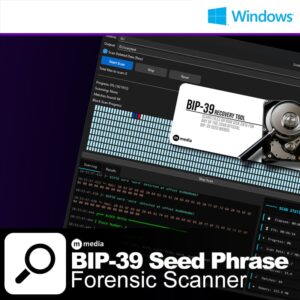
BIP-39 Recovery Tool is a Windows application that scans files and raw disk sectors for BIP39 seed words. If your seed phrase was ever written to a drive – in a text file, a notes app, a browser export, a wallet backup, or anywhere else – the bytes are still on that drive somewhere, even if the file was deleted. This tool finds them.
Everything runs locally. No data leaves your machine; not your file paths, not your matched words, not your drive contents. There are no network calls in the scanning engine, no telemetry, no logging to any server. When you’re looking for a seed phrase, the last thing you need is software that logs what it finds.
It does one thing and does it well: systematically narrows even a multi TB drive down to a short list of files and disk sectors worth a human look, in a fraction of the time it would take to open hundreds of sectors or files manually.
The BIP39 wordlist is plain English. Expect false positives – ordinary text files will match several words. A genuine seed phrase will stand out as a sequence of unrelated short words with no sentence structure around them. The tool narrows the search down; you do the final verification.
The tool reads every sector on a drive in 1MB blocks using the Windows CreateFileW/ReadFile API against the physical device path. This finds data that has been deleted, emptied from the Recycle Bin, or that was never in a file at all. It requires Administrator privileges and is blocked by design from running on C:/ to avoid an unusable flood of false positives from system files.
On SSDs, recovery may not be possible depending on TRIM and wear-leveling behavior. On spinning hard drives, recovery is more likely if the drive has not been heavily used since deletion.
The binary is not signed with a commercial certificate. Windows SmartScreen will show a warning – click “More info” then “Run anyway”. If you’re not comfortable with that, the full source is published on GitHub and the build process is straightforward. Building from source gives you a binary you compiled yourself from code you can read.
SHA-256 checksums are published with every release. Verify before running.
For this audience, open source + offline + local-only + published checksum is a stronger trust signal than a cert from a vendor you’ve never heard of.
$69 – one-time purchase. No subscription, no recurring fees. A license key is tied to your machine and validated at startup. All scanning is done locally – your files and scan results never leave your machine.
There is no trial period. If the phrase is not on the drive you scan, the tool cannot find it – that is a function of what’s on your drive, not the tool. Read the false positives and SSD notes above before purchasing.
mmediasoftwarelab.com |
Source on GitHub |
$69.99
Perpetual Single-Desktop License

We don't believe in dark patterns, forced subscriptions, or holding your data hostage. M Media software products use clear, upfront licensing with no hidden traps.
You buy the software. You run it. You control your systems.
Licenses are designed to work offline, survive reinstalls, and respect long-term use. Updates are optional, not mandatory. Your tools don't suddenly stop working because a payment failed or a server somewhere changed hands.
Ever contact support and immediately know you're talking to someone reading a script? Someone who's never actually used the product? Yeah, we hate that too.
M Media support means talking to developers who wrote the code, understand the edge cases, and have probably hit the same problem you're dealing with. No ticket escalation theatrics. No "have you tried restarting?" when your question is clearly technical.
Documentation written by people who got stuck first. Support from people who fixed it.
We don't outsource support to the lowest bidder or train AI on canned responses. When you ask a question, you get an answer from someone who can actually read the logs, check the source code, and explain what's happening under the hood.